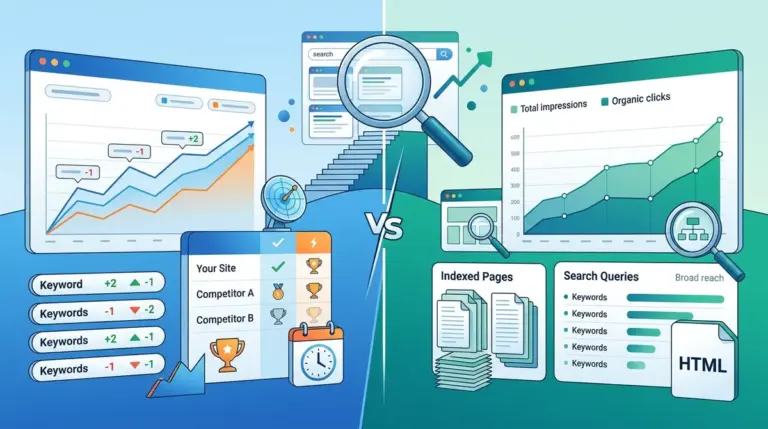
Google Search Console (GSC) is the only direct line of communication between a website and the search engine, but relying on it as a standalone reporting tool creates significant blind spots. GSC provides historical data based on actual user behavior, yet it lacks the real-time precision and competitive context required for aggressive SEO growth. To build a truly defensive and offensive search strategy, you must layer third-party rank tracking over GSC’s aggregated metrics.
The fundamental difference lies in data collection. GSC reports on "average position," a metric skewed by personalized search results, localized intent, and the 48-to-72-hour data lag. A dedicated rank tracker, conversely, simulates clean-browser fetches at specific intervals, providing a snapshot of the SERP as it exists right now. Integrating these two data sets allows you to distinguish between a site-wide technical issue and a localized loss of visibility due to a new SERP feature.
Bridging the Gap Between Sampled Data and Real-Time SERPs
Google Search Console operates under privacy thresholds. If a keyword has low search volume, Google often omits it from the Performance report to prevent individual user identification. This means your "long-tail" strategy—often the most conversion-heavy segment of a funnel—can be invisible in GSC. A rank tracker does not have these thresholds; it checks the keyword regardless of how many people clicked it yesterday.
Why GSC Average Position Often Misleads
In GSC, if your site ranks #1 in New York and #10 in Los Angeles, your average position might show as #5.5. This number is mathematically correct but strategically useless. It doesn't tell you that you are winning in one market and failing in another. A rank tracker allows you to segment by geo-location (down to the zip code) and device type. This granularity reveals whether a dip in "average position" is a global ranking drop or simply a shift in where your traffic is coming from geographically.
Identifying High-Potential Keywords via GSC for Tracker Monitoring
The most efficient way to use these tools in tandem is to use GSC as a discovery engine and your rank tracker as a precision monitoring system. You cannot track every single keyword in a dedicated tool without ballooning costs, so you must be selective.
Best for: Identifying "Striking Distance" keywords. Filter your GSC data for keywords with an average position between 11 and 20. These are pages that Google already deems relevant but hasn't yet promoted to the first page. Export this list and import it into your rank tracker. By monitoring these specific terms daily, you can see the immediate impact of on-page optimizations or internal linking changes, rather than waiting three days for GSC to update.
- Impression Volume: Use GSC to find keywords with high impressions but low clicks.
- Volatility Tracking: Move those keywords to a tracker to see if the rank is "bouncing" (a sign of intent testing by Google).
- SERP Feature Analysis: Use the tracker to see if those high-impression keywords are being dominated by Video Carousels or People Also Ask (PAA) boxes.
Pro Tip: When GSC shows a sudden spike in impressions without a corresponding increase in clicks, check your rank tracker for the emergence of an AI Overview (SGE) or a Local Pack. Often, your "position" remains high, but your "pixels from the top" have increased significantly, burying your organic result below the fold.
Diagnosing Traffic Drops: Algorithm Update vs. SERP Feature Displacement
When traffic falls, the first instinct is to check for a penalty or an algorithm update. GSC will show the decline in clicks, but it won't explain the why. A rank tracker provides the environmental context that GSC lacks. For example, if your rank remains at #3, but your CTR in GSC has plummeted, the rank tracker might reveal that Google recently inserted a four-pack of ads or a massive "Featured Snippet" above your result.
Monitoring the Impact of AI Overviews and Local Packs
GSC does not distinguish between a standard blue link and a result featured within a specialized SERP element. If you move from a standard organic position into a Local Pack, GSC might report this as a change in position, but it won't explicitly label the feature. A rank tracker identifies these features (Images, News, Maps, Shopping) specifically. This allows you to pivot your content strategy—for example, by adding schema markup to target a specific SERP feature that is currently siphoning off your traffic.
Refining Your SEO Strategy with Dual-Data Analysis
To maximize ROI, you should cross-reference GSC’s "Query" data with the "Competitor" data found in your rank tracker. GSC only shows you your own performance. It tells you nothing about the competitor who just jumped from page three to the top spot. By tracking your primary keywords in a dedicated tool, you can see exactly who is gaining ground when you are losing it. If a specific competitor is rising across a cluster of keywords, you can analyze their recent content updates or backlink acquisitions to understand their momentum.
Workflow for Agencies: Use GSC for monthly reporting to show "Total Growth" and "Search Share." Use rank tracking for weekly or daily tactical adjustments. If a client’s "money term" drops two spots, the rank tracker alerts you instantly, allowing you to fix a broken redirect or refresh the content before the client even sees the monthly GSC report.
Building a Daily Monitoring Workflow
Success in modern SEO requires moving away from reactive reporting and toward proactive monitoring. Start by syncing your GSC account with your rank tracking environment to automate the discovery of new ranking terms. Set up alerts in your tracker for any keyword that drops out of the top 3 or the top 10. Once an alert is triggered, return to GSC to see if the drop is isolated to a specific device or country. This two-step verification prevents "fire drills" caused by temporary data glitches in Google’s reporting and ensures that your SEO team is only spending time on issues that impact the bottom line.
Frequently Asked Questions
Why do my rankings in Search Console differ from my rank tracker?
GSC reports an average of every position your site held for a query during a specific timeframe, including "long-tail" variations and different geographic locations. A rank tracker provides a controlled, localized check at a specific moment in time. Both are "correct," but they measure different things: GSC measures historical reach, while a tracker measures current competitive standing.
Can I use GSC instead of a paid rank tracker?
For very small sites or hobbyists, GSC is often sufficient. However, for any commercial enterprise, GSC lacks the necessary features for competitive analysis, real-time alerting, and SERP feature tracking. You cannot see what your competitors are doing inside GSC, which is a critical requirement for any professional SEO strategy.
How often should I sync GSC data with my tracking tool?
Most professionals perform a deep-dive sync once a week. This allows you to identify new keywords that Google has started to associate with your pages, which you can then add to your "high-priority" tracking list to monitor more closely as you optimize for them.
Does GSC track Featured Snippets?
Yes, GSC tracks clicks and impressions from Featured Snippets, but it does not label them as such. It simply records them as a top-position organic result. To know for certain if you have won or lost a Featured Snippet, you must use a rank tracker that specifically identifies SERP feature types.