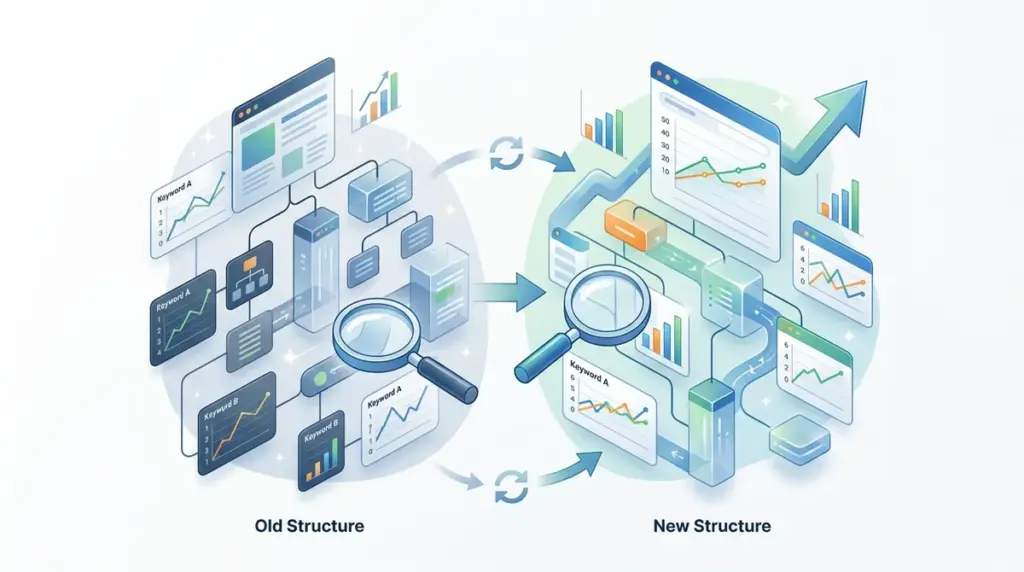
Changing a site’s architecture or moving to a new URL structure is essentially a heart transplant for organic traffic. If you do not have a rigorous monitoring plan in place before the first 301 redirect goes live, you are flying blind through the most volatile period of a site's lifecycle. Rank tracking during a migration isn't just about watching numbers go up or down; it is about verifying that Google has correctly indexed the new structure and transferred the equity from the old one.
Establishing a Pre-Migration Baseline
You cannot measure what you haven't documented. At least two to four weeks before the site structure changes, you must lock in a baseline of your current performance. This involves more than just a list of keywords. You need a granular snapshot of which specific URLs are ranking for which terms, including the presence of SERP features like snippets or local packs.
Best for: Identifying "must-win" pages that drive the bulk of conversions and require the most oversight during the move.
Export your current ranking data and segment it by page type (e.g., category pages, product pages, blog posts). This segmentation allows you to identify if a specific branch of the new site structure is failing while others succeed. If you move from /blog/post-name to /resources/post-name, you need to see that entire "resources" segment recover in unison. Without this categorical data, a 5% drop in site-wide visibility might mask a 50% drop in your most profitable sub-folder.
Mapping URLs for Data Continuity
The biggest mistake in post-migration tracking is failing to update the target URLs in your tracking software. Most trackers will continue to report on the old URL until it drops out of the index, at which point the keyword might show as "lost" even if the new URL is ranking in the same position.
To maintain data continuity, create a mapping document that pairs every old URL with its new counterpart. In your rank tracking environment, you should utilize tagging or "Groups" to label these pairs. This allows you to run reports that show the "Old URL Rank" vs. "New URL Rank" side-by-side. If the old URL is still appearing in the SERPs three weeks after the move, it indicates a crawl frequency issue or a redirect that isn't being processed correctly by Google's primary index.
Handling Bulk URL Changes with RegEx
If you are changing thousands of URLs—for example, removing a /category/ string from the middle of the path—manual mapping is impossible. Use Regular Expressions (RegEx) within your tracking tool to create dynamic filters. This ensures that as soon as the new URL structure begins to appear in search results, the tracker automatically attributes the rank to the correct segment without manual intervention.
Configuring Your Rank Tracker for the Transition
During a migration, the standard "once a day" tracking frequency is often insufficient. You need near-real-time data to catch critical errors like 404s or "noindex" tags that were accidentally left in the production environment. Set your tracking to the highest available frequency during the first 72 hours of the move.
- Keyword Tagging: Tag keywords by priority (High, Medium, Low) and by site section.
- Competitor Benchmarking: Track 3-5 competitors alongside your migration. If your rankings drop but theirs remain stable, the issue is your site structure, not a broad core update.
- SERP Feature Tracking: Monitor if you lose "People Also Ask" or "Featured Snippets" during the move. These often drop off if the new page's HTML structure (like H2 and H3 tags) has changed significantly.
- Landing Page Verification: Enable alerts for "Landing Page Changed." This is the fastest way to see when Google has swapped the old URL for the new one in the index.
Warning: Beware of "Ghost Rankings." This occurs when a tracker reports a stable rank, but the URL in the SERP is still the old one. If you see this persisting for more than 14 days, check your 301 redirects in a header checker to ensure they are 1:1 and not hitting a redirect chain or a 302 temporary redirect.
Monitoring the 'Flipping' Period in SERPs
In the days following a site structure change, you will notice "flipping." This is when Google alternates between showing the old URL and the new URL for the same query. This is normal behavior as the transition propagates through various data centers. Your rank tracking data will likely show high volatility scores during this window.
Do not panic and revert changes during this period. Instead, use your tracking data to monitor the "Indexation Gap." This is the time between the old URL disappearing and the new URL reaching its previous position. A healthy migration usually sees this gap close within 7 to 14 days for high-authority pages. If a page remains "unranked" for more than 21 days, you likely have a technical roadblock, such as a canonical tag pointing back to the old URL or a robots.txt disallow rule.
Identifying and Resolving Post-Migration Cannibalization
A site structure change often involves merging multiple pages into one or splitting one large page into several smaller ones. This frequently triggers internal cannibalization, where Google is unsure which new page is the most relevant for a specific keyword. Your rank tracker is the primary tool for diagnosing this.
Look for keywords where the "Ranking URL" changes frequently between two or more new pages. If the rank is also fluctuating wildly (e.g., moving from position 5 to position 25 and back), Google is struggling to pick a winner. You must resolve this by strengthening the internal linking to the preferred page and ensuring the secondary pages have distinct, differentiated intent and metadata.
Actionable Audit Steps Post-Migration
Once the initial volatility subsides, usually around the 30-day mark, you must perform a final audit to ensure the new structure is performing as intended. This is where you move from "monitoring" to "optimization."
Compare the current ranking distribution (the number of keywords in positions 1-3, 4-10, etc.) against your pre-migration baseline. If your "Top 3" count has decreased while your "Top 10" has increased, your new structure might be diluting authority across too many pages. Conversely, if you see an increase in "Top 3" rankings, your new architecture is successfully concentrating topical authority. Use these insights to tweak your internal link equity, pushing more internal links to the pages that are "stuck" on page two of the results.
Migration Tracking FAQ
How long should I track both old and new URLs?
You should monitor the old URLs until they have completely dropped out of the search results and no longer appear in your rank tracker’s "Discovered URLs" report. Typically, this takes 30 to 60 days depending on the crawl depth of the site.
Why does my rank tracker show a drop even though my traffic is stable?
This often happens if the tracker is still looking for the old URL while the new URL is already ranking. Ensure your tracker is configured to follow "Domain-level" rankings rather than "Exact URL" rankings to see the true performance during the transition.
What should I do if my rankings don't return after 30 days?
First, verify that all 301 redirects are functional and that no 404 errors exist for high-volume keywords. Second, check Google Search Console for any manual actions or "Indexed, though blocked by robots.txt" warnings. If the technicals are sound, you may need to re-evaluate the on-page SEO of the new URLs to ensure they match the search intent as well as the old ones did.
Does changing the URL structure always cause a temporary ranking drop?
Almost always. Google needs time to re-crawl the redirects, re-calculate the link equity, and re-index the new paths. A temporary fluctuation of 5-10 positions is standard, provided the redirects are implemented correctly and the content remains high-quality.