When a primary keyword drops from position three to "not in top 100," the immediate instinct is to pivot the content strategy or hunt for a backlink deficit. For an SEO lead or agency account manager, this is a high-stakes moment. However, treating a ranking collapse as a relevance issue when it is actually an indexing failure leads to wasted billable hours and incorrect strategic pivots. Ranking data is only as reliable as the index it pulls from; if Google has dropped a page from its index or is serving a secondary URL, your tracking software will report a catastrophic loss that doesn't actually exist in the context of a traditional "ranking" shift.
The False Signal of the Phantom Drop
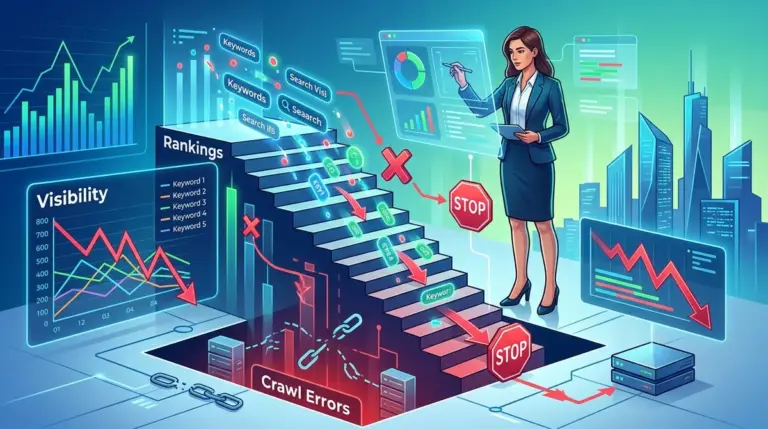
A "phantom drop" occurs when a rank tracker reports a total loss of visibility for a URL that was previously stable. Before assuming an algorithm penalty or a competitor outmaneuvered you, verify the indexation status. If Google removes a page from its index due to a technical glitch—such as a temporary server 5xx error during a crawl or a misconfigured robots.txt file—the rank tracker will record a drop to zero. In reality, the page hasn't "lost" its ability to rank; it has lost its eligibility to be seen.
Technical Audit Step: Use the Google Search Console (GSC) URL Inspection tool immediately. If the status is "URL is not on Google," your problem is technical infrastructure, not content quality. Adjusting the copy or adding internal links will do nothing until the crawlability issue is resolved.
Canonical Mismatch and Historical Data Fragmentation
Indexing issues often manifest as "URL flipping," where Google decides a different version of a page (or a completely different page) is more relevant for a query. This frequently happens with e-commerce filter pages or duplicate blog posts. When Google swaps the indexed URL, your rank tracker may show a "new" ranking for the secondary URL while the primary URL "drops."
This distorts your data in three specific ways:
- Loss of Historical Context: You lose the ability to track the long-term performance of the original asset, making it difficult to prove ROI on specific optimizations.
- Cannibalization Noise: The tracker may toggle between two URLs, creating a "sawtooth" pattern in your charts that looks like volatility but is actually an unresolved canonicalization conflict.
- Reporting Inaccuracy: If the secondary URL has a lower conversion rate (e.g., a category page ranking instead of a high-intent product page), your "ranking" might look stable, but your revenue will dip.
Warning: Automated canonicals are not a safety net. If your CMS generates self-referencing canonicals on thin or duplicate pages, Google may ignore them and choose its own representative URL, rendering your rank tracking data inconsistent with the actual user experience.
The Delay of JavaScript Rendering and "Partial" Indexing
Modern web frameworks like React or Vue can create a gap between initial discovery and full indexing. Google often performs a two-stage indexing process: it crawls the HTML first, then renders the JavaScript later when resources are available. If your rank tracker checks the SERPs during this window, it may see a version of your page that lacks key content, headers, or internal links.
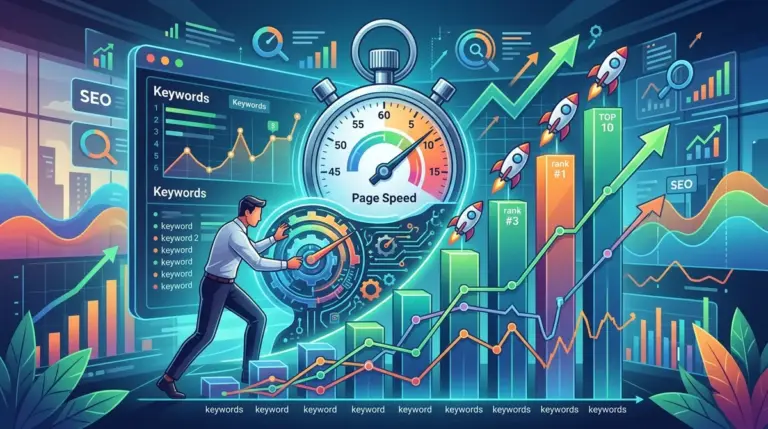
This leads to "partial indexing" where a page ranks for its meta title but fails to rank for any of the body content. If you are tracking long-tail keywords found in the JS-rendered text, your data will show zero visibility. This isn't a ranking failure; it's an execution lag. High-performance SEO teams must ensure that critical SEO elements are delivered in the initial HTML response to prevent these data gaps. Ensuring fast initial load times is key, as core Web Vitals improvements show up in rank tracking and can impact user experience.
Crawl Budget Exhaustion and Stale SERP Snapshots
For large-scale publishers and e-commerce sites, crawl budget is a finite resource. If Googlebot is bogged down by "Discovered - currently not indexed" URLs, it may not return to your high-value pages frequently enough to reflect recent updates. If you update a page to target a new keyword and your rank tracker shows no movement after three weeks, it may simply be that Google hasn't re-indexed the page yet.
Impact on Decision Making: Marketers often see "no movement" and decide to change the strategy again. This "double-optimization" creates a feedback loop where you are changing the page faster than Google can index it, ensuring the page never settles into a stable position. You are effectively tracking "stale" data and making decisions based on a version of the site that no longer exists.
Identifying "Crawled - Currently Not Indexed" Distortions
When GSC reports "Crawled - currently not indexed," it means Google has seen the page and decided it is not worth the space in the index. This often happens with thin content or AI-generated filler. In your rank tracking reports, these pages will simply vanish. Unlike a ranking drop from position 10 to 50—which suggests a need for better backlinks or content depth—a total removal suggests a quality threshold issue. Distorting these two types of data leads to the wrong remedy; you don't need "better" SEO for a de-indexed page, you need a fundamental rethink of the page's value proposition.
Standardizing Data with Index Verification
To ensure your ranking data is actionable, it must be cross-referenced with indexation health. High-frequency tracking is useless if the underlying URL is fluttering in and out of the "Valid" bucket in Search Console. A sudden shift in rankings across a specific subfolder is often a sign of a sitewide technical change—like a botched migration or a change in the <head> section—rather than a change in how Google perceives your brand's authority.
Best for: Agencies managing large-scale migrations where "ranking drops" are often just temporary indexing re-alignments. Monitoring the "Index Coverage" report alongside your rank tracker prevents unnecessary panic during the 14-30 day window following a site launch.
Audit Steps for Data Integrity
To stop indexing issues from ruining your reporting, implement these three checks into your monthly workflow:
- The 404/301 Check: Ensure your rank tracker is not following redirected URLs that have lost their "ranking power" during the transition.
- The Cache Date Verification: If a keyword drops, check the "Cached" version of the page on Google. If the cache date is old, the ranking data is not reflecting your current site.
- Mobile vs. Desktop Indexing: Since Google is mobile-first, ensure your tracker is prioritizing mobile SERPs. A page might be indexed and ranking on desktop but failing mobile-friendly tests, causing it to be suppressed in the primary mobile index.
Synchronizing Technical Health with Performance Metrics
The goal of rank tracking is to measure progress, but progress is non-linear when technical debt is present. If you see a 20% drop in "Keywords in Top 3," immediately look at your "Valid" pages count in GSC. If the two metrics drop in tandem, you have an indexing crisis. If the index count is stable but rankings are down, you have a relevance or competition problem. Distinguishing between these two scenarios is the difference between a successful SEO lead and one who chases ghosts in the data. Stop optimizing for rankings until you have confirmed the stability of your indexation.
Frequently Asked Questions
Why does my rank tracker show a different URL than the one I optimized?
This is usually due to Google's "canonicalization" process. If Google believes a different URL on your site is a better match for the search intent or contains substantially similar content, it will index that URL instead. Your rank tracker is simply reporting what Google has chosen to display.
Can a page be indexed but not rank for any keywords?
Yes. This is often referred to as "Omitted Results." If your content is too similar to other pages already in the index, Google may include your URL in its database but filter it out of the active search results to avoid redundancy. This will appear as "not in top 100" in your tracking software.
How long should I wait for indexing before trusting ranking data?
For new content, wait at least 7 to 14 days after the "Last Crawled" date in GSC before making strategic decisions based on rank tracking. For existing content that has been updated, wait for at least two successful crawls to ensure Google has processed the changes and updated its ranking calculations.
Does a "noindex" tag immediately remove ranking data?
A "noindex" tag will cause the page to be dropped from the index as soon as Googlebot recrawls it. Your rank tracker will then show a total loss of rankings. If you see a sudden drop to zero, always check for accidental "noindex" tags in your header or X-Robots-Tag HTTP headers.