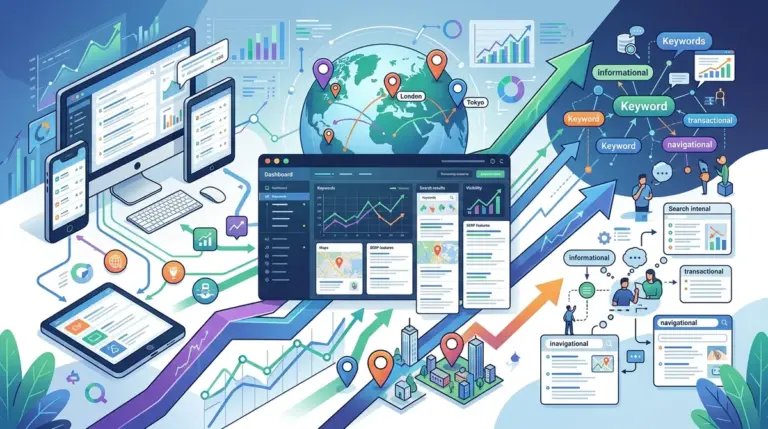
Tracking rankings for a single national domain is a linear process. Tracking a 50-unit franchise, a multi-state law firm, or a service-area business across three counties is a multidimensional data challenge. When search intent is localized, Google tailors the SERP based on the user’s precise latitude and longitude, meaning a "national" rank average is functionally useless for local conversion optimization. To capture an accurate picture of performance, you must move beyond domain-level tracking and adopt a coordinate-based monitoring strategy.
Distinguishing Between Organic and Map Pack Tracking
Multi-location tracking requires monitoring two distinct sets of results: the localized organic listings and the Google Map Pack (Local Pack). These two environments operate on different algorithms. Organic results are influenced heavily by traditional SEO factors like backlink profile and on-page relevance, whereas Map Pack results prioritize proximity, prominence, and the health of the Google Business Profile (GBP).
Best for: Agencies managing franchises or retail chains where "near me" intent drives the majority of foot traffic. You cannot optimize what you do not measure at the street level.
- The Local Pack: Usually appears at the top of the SERP for queries with local intent. Tracking here requires monitoring the top three positions specifically.
- The Local Finder: The expanded list of businesses seen after clicking "More businesses." Tracking deep into the Local Finder helps identify emerging competitors.
- Localized Organic: Standard blue links that change based on the user's city or zip code.
Configuring Geo-Specific Coordinates and Zip Codes
The most common error in multi-location tracking is setting the location too broadly. If you track "Chicago" as a single entity, your data will likely reflect the "centroid"—the geographic center of the city. However, a business in Lincoln Park will see vastly different rankings than one in Hyde Park. To solve this, you must configure your tracking at the zip code level or, ideally, via exact GPS coordinates.
Utilizing Latitude and Longitude for Precision
For high-density urban areas, even a zip code can be too large to capture the nuances of the Map Pack. Advanced tracking involves setting a specific point of interest (your storefront) and monitoring rankings in a radius around that point. This allows you to see the "proximity fade"—the exact distance at which your business drops out of the top three positions. If your rankings drop off sharply two miles from your location, your strategy should shift from general SEO to local authority building and citation consistency.
Pro Tip: Do not rely on manual searches via a VPN to check local rankings. VPNs mask your IP but often fail to replicate the precise GPS signals Google uses for mobile search. Use a dedicated rank tracker that allows for "Fixed Location" settings via specific latitude and longitude inputs to ensure the data is reproducible and accurate.
Organizing Keywords by Location Clusters
Managing thousands of keywords across dozens of locations leads to data fatigue. To maintain clarity, you must implement a tagging and clustering system. Instead of viewing a flat list of keywords, group them by location, service line, and intent. For example, a dental franchise should cluster keywords by [City] + [Service] (e.g., "Miami Teeth Whitening" vs. "Orlando Teeth Whitening").
This clustering allows you to identify regional performance trends. If all Florida locations are underperforming for high-value "emergency" keywords while California locations are thriving, you can isolate whether the issue is a regional competitor's aggressive campaign or a technical issue with the location pages on your site.
Analyzing the Impact of Proximity on Search Results
Proximity is the most volatile ranking factor in local search. Google aims to provide the most convenient result to the user. As a result, rankings can fluctuate wildly as a user moves through a city. To track this effectively, use grid-based tracking. This method places a virtual grid over a map and checks the rank at every intersection point (e.g., every 500 meters).
This visualization reveals "ranking dead zones." If your business ranks #1 at its doorstep but drops to #10 just three blocks away, it indicates a lack of local relevance or a "filtering" issue where Google is prioritizing a competitor with higher prominence or better review velocity. Identifying these zones allows you to target local link-building or localized content efforts specifically where they are needed most.
Scaling Reporting for Multi-Location Stakeholders
Reporting for multi-location businesses requires balancing the needs of corporate stakeholders with those of individual branch managers. Corporate needs to see the "big picture"—aggregate visibility scores and total share of voice across all territories. Branch managers only care about their specific 10-mile radius.
Operationalizing the Data:
- Automated Segmentation: Set up reports that automatically filter data by "Region" or "District Manager" tags.
- Share of Voice (SoV): Calculate SoV against local competitors, not just national ones. Your biggest competitor in Phoenix is likely not your biggest competitor in Boston.
- Mobile vs. Desktop Split: Local searches are predominantly mobile. If your mobile rankings lag behind desktop, it usually points to page speed issues or a poor mobile UI on your location-specific landing pages.
Building a Multi-Location Tracking Workflow
To implement this successfully, start by auditing your current footprint. Ensure every location has a dedicated landing page on your primary domain. These pages should be the "target URL" for your tracking efforts. Next, synchronize your rank tracking with your Google Business Profile data. This allows you to correlate ranking shifts with actual business outcomes like "Clicks to Call" or "Direction Requests."
Regularly audit your competitor set for each location. Local markets are dynamic; a new competitor opening a shop three blocks away can disrupt your rankings faster than a global algorithm update. By tracking the top five local competitors for every location, you can preemptively adjust your strategy before a dip in rankings turns into a dip in revenue.
Multi-Location Tracking FAQ
How often should I refresh local ranking data?
For competitive local markets, daily tracking is necessary. Proximity-based results are more volatile than national organic results, and weekly snapshots often miss the fluctuations caused by local competitor activity or small-scale algorithm tweaks.
Does tracking multiple locations from one account trigger Google's bot detection?
If you are using a professional rank tracking tool, they handle the proxy management and request headers to ensure data is fetched without triggering blocks. Manual scraping or using poorly configured scripts will result in IP bans and inaccurate, localized results.
Should I track keywords with or without city modifiers?
You should track both. Users search for "plumber near me" (no modifier) and "plumber in Dallas" (with modifier). Google treats these differently. Tracking both ensures you understand how your business performs for "implicit" local intent versus "explicit" local intent.
What is the most important metric for multi-location SEO?
While rank is the primary indicator, "Visibility Share" in the Map Pack is the most commercially relevant metric. It measures how often your business appears in the top three positions across your entire target grid, providing a more accurate representation of potential lead volume than a single-point rank check.