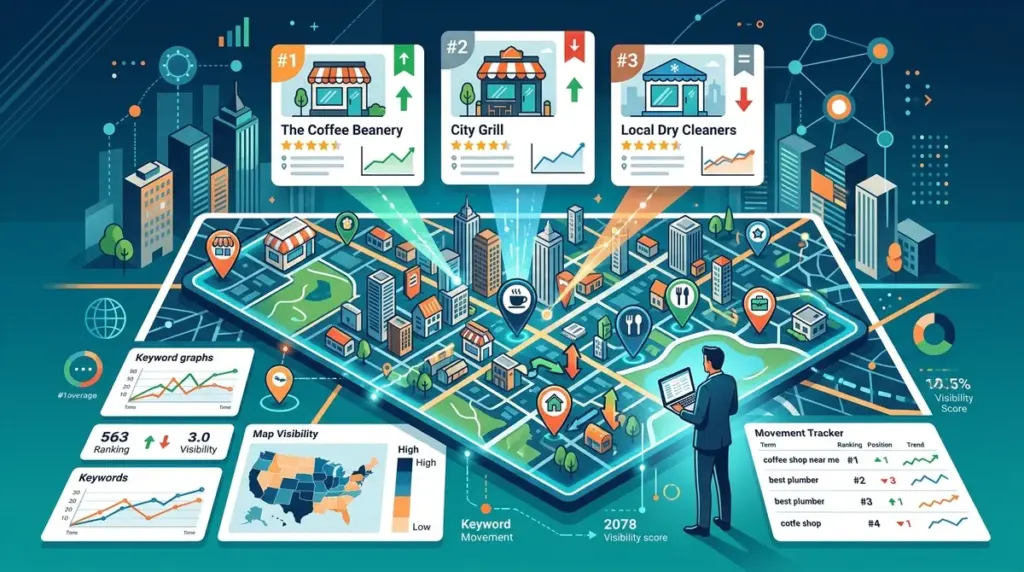
Map Pack visibility is the primary driver of foot traffic and "ready-to-buy" phone calls for brick-and-mortar businesses. Unlike traditional organic results, which may vary slightly by region, the Google Local 3-Pack is hyper-sensitive to the user's physical location. A business ranking #1 at its front door might drop to #10 just three blocks away. This volatility makes traditional, city-level rank tracking insufficient for local SEO. To gain a competitive edge, you must transition from tracking "average positions" to monitoring high-resolution proximity data.
The Proximity Problem in Local Rank Tracking
Google’s algorithm for local search prioritizes three main pillars: relevance, prominence, and proximity. While you can optimize relevance through on-page SEO and prominence through backlink profiles, proximity is a fixed variable dictated by the searcher’s latitude and longitude. Traditional rank trackers often use a single IP address or a broad zip code to pull data, which provides a skewed perspective of a business's true reach.
Best for: Multi-location brands and service-area businesses (SABs) that need to visualize their "service radius" rather than just a single data point.
When tracking the Map Pack, you are essentially measuring the strength of your Google Business Profile (GBP) against local competitors. Because the Map Pack appears in approximately 30% of all first-page search results, failing to track these specific coordinates means you are missing the data that correlates most closely with physical conversions.
Grid-Based Tracking vs. Single Point Tracking
Single-point tracking tells you how you rank from a specific center point, usually a city center or the business address. Grid-based tracking, however, creates a matrix of search points (e.g., a 5x5 or 10x10 grid) over a specific geographic area. This allows you to see exactly where your rankings "fall off." If your visibility drops sharply to the north but holds steady to the south, you know exactly where to focus your local citation building or geo-targeted ad spend.
Configuring Your Local Tracking Environment
To get accurate Map Pack data, your setup must mirror the actual behavior of a local searcher. This requires more than just adding a keyword; it requires defining the search entity and the precise geographic boundaries.
- Keyword Selection: Focus on "near me" queries and localized keywords (e.g., "emergency plumber [City Name]").
- Business Entity Matching: Ensure your tracker is linked to your specific Google Business Profile via the exact Name, Address, and Phone number (NAP) to distinguish your listing from competitors with similar names.
- Device Categorization: Map Pack results differ significantly between mobile and desktop. Mobile searches often prioritize the closest physical option, while desktop results may show a slightly wider radius.
Identifying Local Search Intent
Not every keyword triggers a Map Pack. Before tracking, verify that the SERP actually contains a local block. Tracking "how to fix a leaky faucet" in a local tracker is a waste of resources, as that query triggers informational videos and blogs. Focus your tracking on transactional keywords where Google’s intent engine recognizes the need for a local provider. Focus your tracking on transactional keywords where Google’s intent engine recognizes the need for a local provider to track local search rankings effectively.
Decoding Map Pack Result Types
Tracking the Map Pack isn't just about the 1, 2, and 3 spots. You must also monitor the "Local Finder"—the expanded list of businesses that appears when a user clicks "More places."
If your business is consistently at position #4, you are invisible to the majority of users but only one optimization away from a massive traffic spike. Monitoring the Local Finder allows you to see the "velocity" of your competitors. Are they moving up the list because of a sudden influx of reviews? Are they using keyword-stuffed business names? Tracking the top 20 results in the Local Finder provides the context needed to move into the top 3.
Warning: Avoid using a standard VPN to "check" local rankings manually. Google identifies most commercial VPN IP addresses and may serve a generic national SERP or a cached version of local results, leading to inaccurate reporting. Always rely on coordinate-based API requests for clean data.
Measuring Local Share of Voice
In local SEO, "Share of Voice" (SoV) is a more critical metric than "Average Position." SoV calculates how often your business appears in the top 3 spots across your entire tracked grid. A business with a 75% SoV is dominating its local market, whereas a business with a 10% SoV is likely only appearing for searches made within a few hundred yards of its front door.
This metric is commercially useful for reporting to stakeholders because it translates technical SEO data into market share. If you can show a client that their SoV increased from 20% to 40% over a quarter, you are demonstrating a literal doubling of their digital storefront's visibility.
Advanced Tactics for Service Area Businesses
Service Area Businesses (SABs), such as locksmiths or roofers who do not have a physical storefront for customers to visit, face unique tracking challenges. Since their address is often hidden on their GBP, Google uses the "service areas" defined in the dashboard to determine relevance. However, the ranking still radiates from the original verification address.
When tracking for an SAB, you should set your grid to cover the entire service area. If the business is verified in a suburb but serves the entire metropolitan area, the tracking data will likely show a "heat map" effect where rankings are strongest near the verification point and fade as you move toward the city center. This data is vital for deciding whether to open a second physical location or "satellite" office to capture more of the market.
Building a Local Reporting Cadence
Map Pack rankings are more volatile than organic blue links. Local results can shift based on business hours—some businesses only rank when they are marked as "Open" on their GBP. For high-stakes clients, daily tracking is necessary to catch these fluctuations. For most local businesses, a weekly deep dive into the grid heat map is sufficient to identify trends and competitor movements. Use these reports to audit your review acquisition strategy; often, a dip in Map Pack ranking correlates directly with a competitor receiving a fresh batch of 5-star ratings.
Frequently Asked Questions
How often should I refresh Map Pack rankings?
Weekly tracking is the standard for most local businesses. However, if you are in a highly competitive niche like legal or insurance, daily tracking is recommended to monitor competitor name changes or "spam" listings that can temporarily displace you.
Does the "Near Me" keyword actually matter for tracking?
Yes. Google treats "keyword + near me" differently than just the "keyword" because it explicitly signals local intent. You should track both variations to see if your GBP is optimized for both explicit and implicit local searches.
Why do my Map Pack rankings differ from my organic rankings?
The Map Pack uses a different algorithm (Opossum and Hawk updates) that prioritizes proximity and GBP signals like reviews and photos. Organic rankings rely more on traditional on-page SEO and domain authority. It is common to rank #1 organically but be absent from the Map Pack if your physical location is too far from the searcher.
Can I track Map Pack rankings for multiple languages?
Yes. If you are in a bilingual market (e.g., Miami or Montreal), you should track rankings in both primary languages. Google serves different results based on the user's browser language settings, even if the searcher is in the same physical location.